Oceanology NextGen
Oceanology NextGen is being renamed to Oceanology Pro. It is the same product line: every existing NextGen owner receives Pro automatically, at no cost and with no re-purchase.
Pro is a ground-up rebuild that adds the river system, Spectral Gerstner and FFT waves, and Breaking Waves. Read the full announcement →
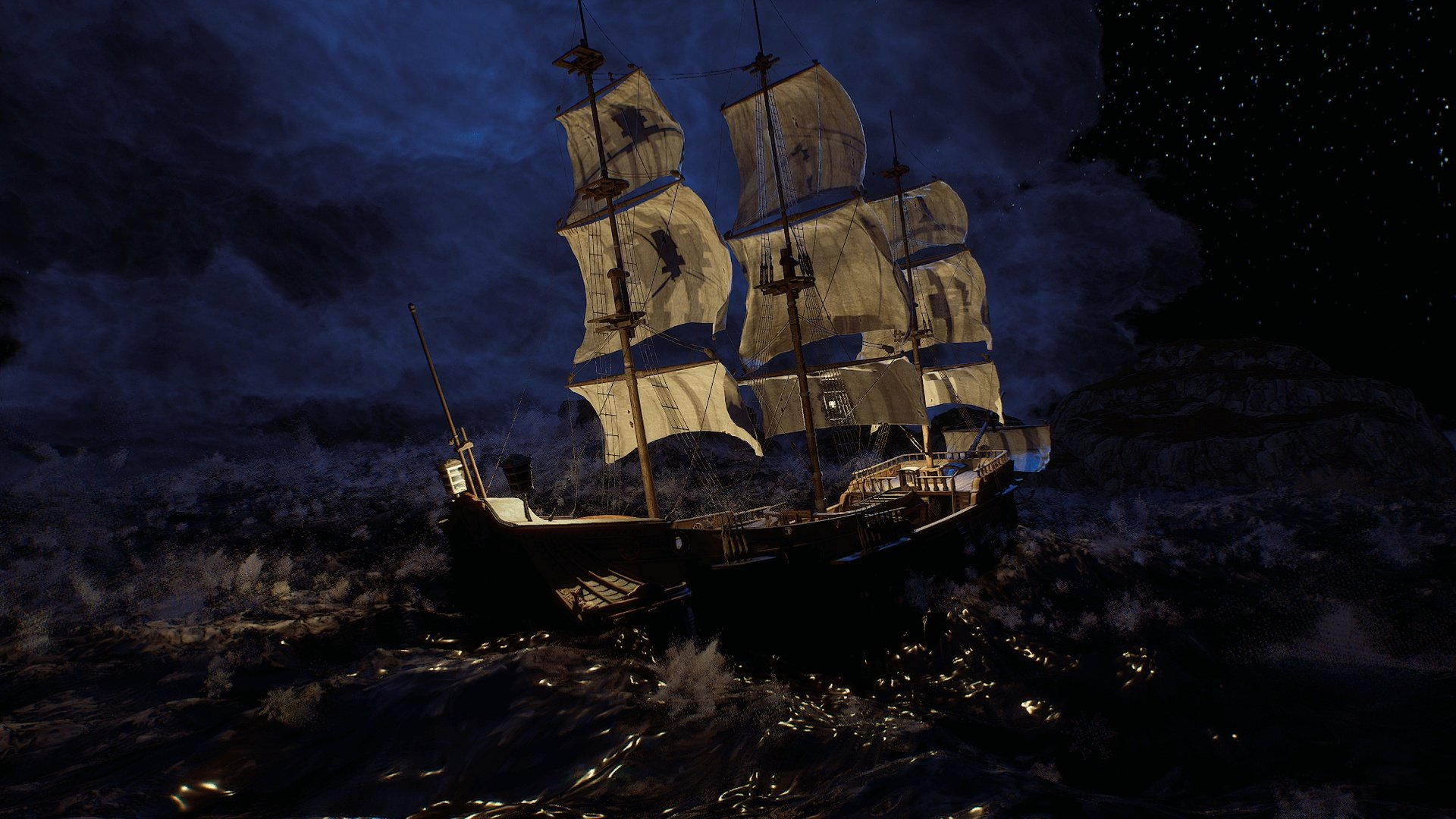
Oceanology NextGen is a production-ready water simulation system for Unreal Engine, engineered from the ground up in C++ for predictable performance and scalability. Whether you're building vast open-world environments, cinematic sequences, or competitive multiplayer experiences, Oceanology NextGen delivers the visual fidelity and runtime efficiency your project demands.
Who It's For
| Target | Use Case |
|---|---|
| Open-World Studios | Seamless oceans spanning kilometers with consistent performance via quadtree LOD and World Partition |
| Cinematic Productions | Photoreal waves, volumetric underwater rendering, and god rays for film-quality visuals |
| Multiplayer Projects | Deterministic wave calculations ensure synchronized water states across all clients |
| Technical Artists | Exposed parameters, preset Data Assets, and material hooks for full customization |
Core Features
🌊 Wave Simulation
- Hybrid Spectral System - Combines Gerstner waves for broad swells with FFT for high-frequency detail
- Coastal Breakers - Math-based breaking waves with foam generation at configurable shore distances
- Deterministic Calculations - Frame-perfect synchronization for multiplayer and replay systems
⚡ Performance & Scalability
- C++ Quadtree Tessellation - Dynamic mesh density based on camera distance and screen-space error
- World Partition Integration - Native streaming support for massive worlds without manual chunking
- GPU-Optimized Shaders - Designed for high-end hardware with Shader Model 6 and DirectX 12
🎨 Visual Effects
- Flow-Based Foam - Procedural foam that responds to wave motion, obstacles, and vessel wakes
- Crest Splashes - Niagara-driven particle systems triggered by wave steepness thresholds
- Underwater Volumetrics - Light scattering, caustics, and god rays with depth-based attenuation
- RVT Landscape Integration - Seamless shoreline blending via Runtime Virtual Textures
🎮 Gameplay Systems
- Pontoon Buoyancy - Physics-accurate floating with configurable density, damping, and wave response. Supports AutoConfigurePontoons for quick setup based on hull collision geometry
- Ship Navigation - Force-based vessel movement along splines with C++ FlowController for natural ship-like navigation
- Swimming Component - Ready-to-use character swimming with surface detection and underwater states
- Water Volumes - Trigger-based regions for gameplay logic, audio zones, and post-process effects
- Multiplayer Ready - Server-authoritative replication with PredictiveInterpolation, push-based networking, and Standalone Game/Dedicated Server support
🔧 Workflow & Flexibility
- Preset Data Assets - Save and share complete water configurations across levels and projects
- Multiple Water Bodies - Infinite oceans, bounded lakes, rivers, and pools with independent settings
- Appearance Range - From photoreal ocean rendering to stylized toon shading with the same core system
Technical Requirements
| Requirement | Specification |
|---|---|
| Engine | Unreal Engine 5.5 - 5.7 |
| Development Platforms | Windows |
| Target Platforms | Windows |
| Graphics API | DirectX 12 with Shader Model 6 |
| Hardware | High-end GPU recommended (RTX 3080 / RTX 4070+ / 8GB+ VRAM) |
Oceanology NextGen is optimized for high-end hardware. While it runs on mid-range GPUs, full visual quality requires modern graphics cards with adequate VRAM (8GB+).
Documentation Structure
| Section | Description |
|---|---|
| Setup | Installation, project configuration, and first scene verification |
| Waves | Gerstner + FFT wave parameters and customization |
| Buoyancy | Pontoon-based floating physics for vessels |
| Swimming | Character swimming component setup |
| Underwater | Volumetric effects, post-processing, caustics |
| Surface | Water surface rendering, reflections |
| QuadTree | LOD system and performance tuning |
| Infinite Ocean | World-scale water configuration |
| Shore Waves | Math-based breaking waves |
| Foam | Flow-based foam generation |
| DomeFX | Sky dome and atmospheric integration |
| RVT | Runtime Virtual Texture integration |
| Audio | Dynamic wave-driven soundscapes |
| Ship Navigation | Spline flow, FlowController, BattleShip C++ actors, force-based navigation |
| Replication | Multiplayer setup, PredictiveInterpolation, and Standalone Game support |
| Presets | Save and manage water configurations |
Quick Start
- Install the Plugin - Enable Oceanology NextGen in your project's Plugins menu
- Add Water to Your Level - Use Quick Add (+) and search for Oceanology Infinite Ocean
- Add the Manager - Place an Oceanology Manager actor to initialize the system
- Configure Water Volume - Add an Oceanology Water Volume for buoyancy and gameplay
- Play - Enter Play mode to see your ocean in action
For detailed instructions, see the Setup Guide.
NextGen vs Legacy
| Feature | NextGen | Legacy |
|---|---|---|
| Target Hardware | High-end GPUs (RTX 3080 / RTX 4070+) | Mid-range GPUs |
| Wave System | Spectral Gerstner + FFT | Gerstner (4 layers) |
| Performance Focus | Maximum visual quality | 60-120 FPS broad compatibility |
| Shore Waves | Math-based breaking waves | Basic coastal effects |
| Best For | Cinematics, AAA visuals | Games, multiplayer |
Choose NextGen for cutting-edge visuals on high-end systems. Choose Legacy for reliable performance across diverse hardware.
Ready to dive in? Start with the Setup Guide →