Riverology
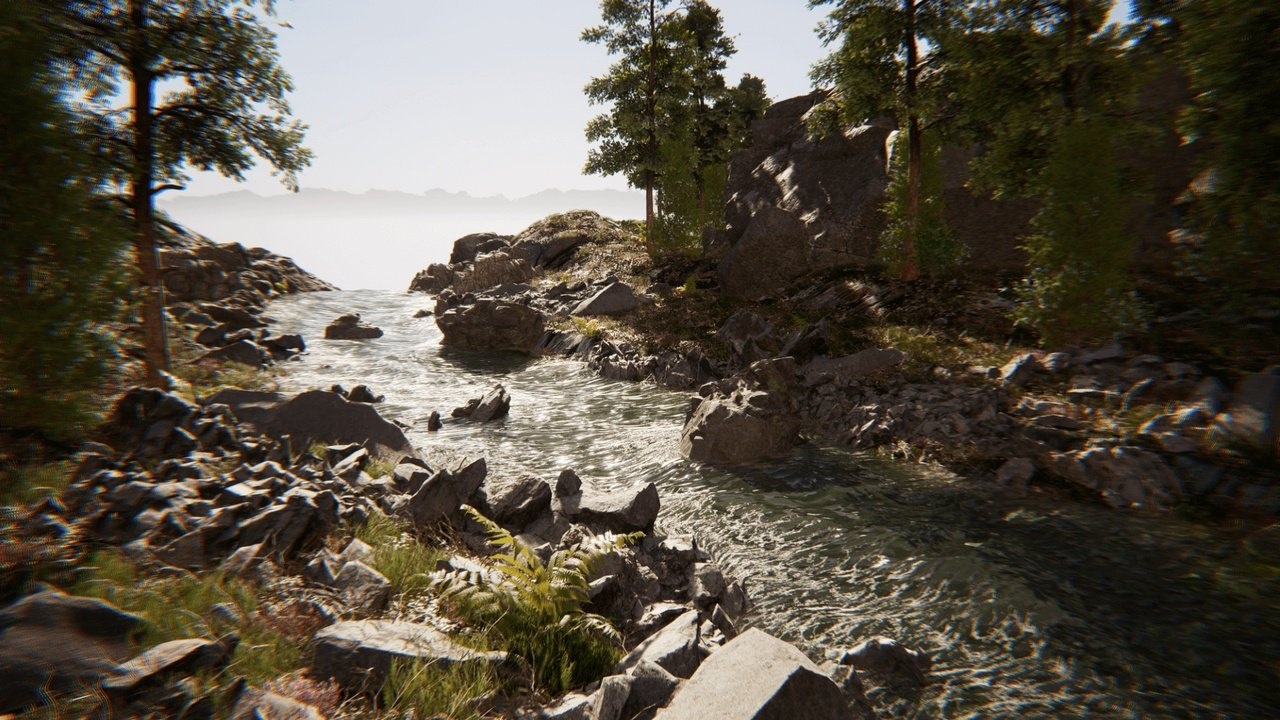
Riverology is a professional spline-based river and water flow system for Unreal Engine, engineered for seamless integration into open-world environments. From tranquil streams to rushing rapids, Riverology provides the tools to create believable, interactive water bodies that respond to terrain, physics, and gameplay.
Who It's For
| Target | Use Case |
|---|---|
| Open-World Studios | Spline-driven river generation spanning kilometers with automatic terrain adaptation |
| Adventure Games | Interactive water with swimming, buoyancy, and flow-based physics |
| Environment Artists | Intuitive spline tools with real-time foam, caustics, and surface effects |
| Technical Artists | Exposed parameters for custom shaders and procedural workflows |
Core Features
🌊 River Generation
- Spline-Driven System - Define river paths with intuitive spline tools that adapt to terrain
- Flow-Based Physics - Realistic water flow affecting buoyancy, swimming, and floating objects
- Large-World Continuity - Rivers spanning World Partition cells without seams
🎨 Visual Effects
- Dynamic Foam - Procedural foam at rapids, obstacles, and shorelines
- Caustics - Underwater light patterns responding to surface movement
- Surface Rendering - Reflections, refractions, and flow-driven normal animation
- Refraction - Physically-based light bending for underwater distortion
🌊 Underwater Environment
- Volumetric Effects - Light scattering, fog, and depth-based color absorption
- Normal Maps - Detailed surface normals for fine water detail and ripples
- Post-Processing - Underwater camera effects with smooth transitions
🎮 Gameplay Systems
- Buoyancy Volumes - Physics-accurate floating with downstream flow forces
- Swimming Mechanics - Complete character swimming with current response
- Debug Tools - Visual debugging for flow vectors, splines, and volumes
🏔️ Terrain Integration
- Landscape Deformation - Automatic riverbed carving and shoreline blending
- RVT Support - Runtime Virtual Texture for seamless terrain-water transitions
- Waterfall Generator - Create waterfalls with splash effects and mist
Technical Requirements
| Requirement | Specification |
|---|---|
| Engine | Unreal Engine 4.26 - 4.27, 5.0 - 5.7 |
| Development Platforms | Windows |
| Target Platforms | Windows, Mac |
| Graphics API | DirectX 12 (SM6 recommended) |
| Hardware | Mid-range GPU (GTX 1080 / RTX 3060+) or better |
Documentation Structure
| Section | Description |
|---|---|
| Setup | Installation and first river creation |
| Buoyancy | Flow-based buoyancy physics |
| Swimming | Character swimming with current response |
| Surface | Water surface rendering and reflections |
| Underwater | Volumetric effects and fog |
| Foam | Dynamic foam generation |
| Caustics | Underwater light patterns |
| Refraction | Light bending and distortion |
| NormalMaps | Surface detail and ripples |
| Landscape | Terrain integration and carving |
| Debug | Visual debugging tools |
Quick Start
- Install the Plugin - Enable Riverology in your project's Plugins menu
- Create a River Spline - Use the Riverology spline actor to define your river path
- Adjust Flow Settings - Configure flow speed, width, and depth along the spline
- Add Water Volume - Place a Riverology Water Volume for buoyancy and swimming
- Play - Enter Play mode to see your river in action with flow physics
For detailed instructions, see the Setup Guide.
Key Concepts
💨 Flow Direction
Rivers have a defined flow direction determined by the spline. Objects experience forces pushing them downstream, and swimming characters must fight against or swim with the current.
📏 Spline Width & Depth
Each spline point can have independent width and depth values - rivers can narrow through canyons, widen into deltas, or shallow near banks with smooth interpolation.
🏔️ Terrain Adaptation
Riverology automatically carves riverbeds into landscape geometry and blends shorelines using Runtime Virtual Textures.
Riverology vs Oceanology
| Feature | Riverology | Oceanology |
|---|---|---|
| Water Type | Rivers, streams, lakes | Oceans, seas |
| Generation | Spline-based | Infinite plane |
| Flow Physics | Directional current | Wave-based |
| Best For | Inland water, flowing rivers | Open water, coastal scenes |
Both Riverology and Oceanology can coexist in the same project for complete water coverage - rivers flowing into oceans!
Ready to create your first river? Start with the Setup Guide →